 BottleneckCalcs
Best CPU for RTX 5060: No Bottleneck Pairing Guide (2026)
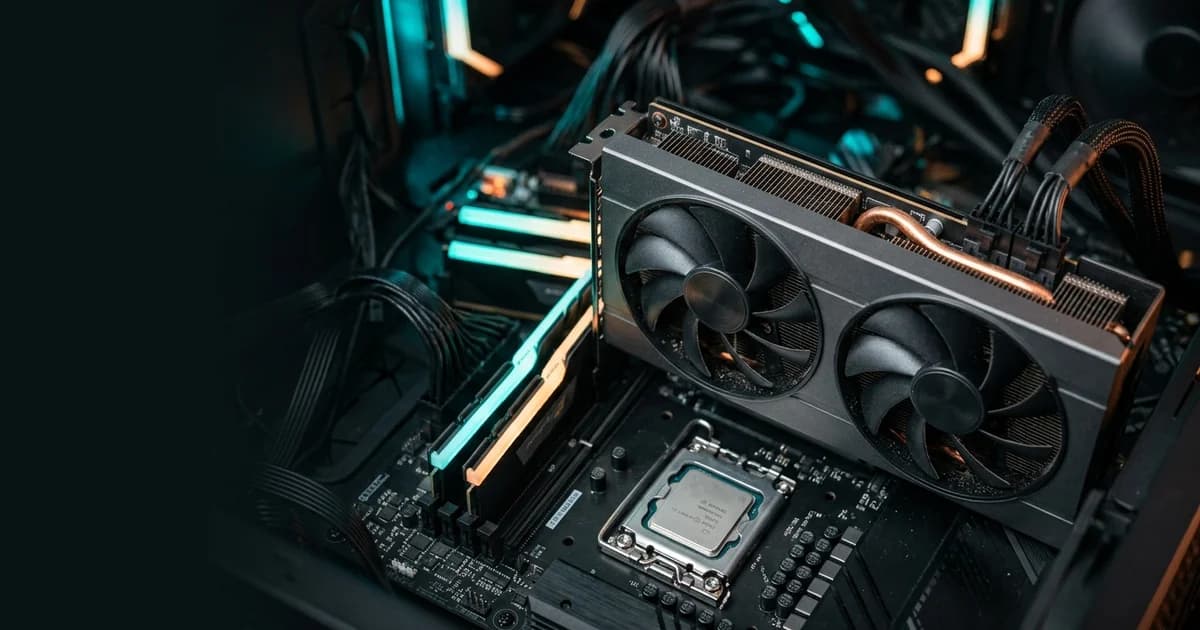
The best CPU for the RTX 5060 is the Ryzen 5 9600X for a new build, or a Ryzen 5 5600 if you are keeping an AM4 board. Both keep the RTX 5060 fully fed at 1080p and 1440p without paying for power the card cannot use.
The RTX 5060 is Nvidia's entry-level RTX 50 card, with 8 GB of GDDR7 memory and a 145 W total graphics power, aimed at 1080p and 1440p gaming with DLSS and frame generation. It is easy to overspend on the CPU or to pair it with an old chip that holds it back. This guide shows which processors match the card, which ones to avoid, and how to check your own build in a few seconds.
Quick answer: best CPU for the RTX 5060
| Pick | CPU | Why it works |
|---|---|---|
| Best overall | Ryzen 5 9600X | Zen 5 on AM5, 6 cores / 12 threads, 65 W TDP, DDR5 and PCIe 5.0, room to upgrade later |
| Best value | Ryzen 5 5600 | Zen 3 on AM4, 6 cores / 12 threads, 65 W TDP, uses cheaper DDR4 |
| Best Intel option | Core i5-13600K | 14 cores (6 performance + 8 efficiency), 20 threads, strong in games and multitasking |
| Best for high refresh rates | Ryzen 7 7800X3D | 8 cores, 96 MB L3 cache with 3D V-Cache; extra headroom for 240 Hz+ esports, overkill for most players |
The RTX 5060 is almost always the limit in modern games, so a mid-range CPU is enough. Put the extra budget into the GPU, RAM or a better monitor instead.
What a bottleneck means for the RTX 5060
A CPU bottleneck happens when the processor cannot prepare frames fast enough, so the GPU sits idle between them. A GPU bottleneck is the opposite: the graphics card is working at full load and the CPU has spare capacity.
For a card like the RTX 5060, a GPU bottleneck is the healthy outcome. It means you are getting everything the card can give. The warning signs of a CPU bottleneck are:
- GPU usage stays well below 90% while a CPU core sits near 100%
- Low 1% lows and stutter even though average FPS looks fine
- FPS barely changes when you raise graphics settings or resolution
Resolution matters. At 1080p the CPU has more work to do per second, so weak CPUs show up there first. At 1440p the GPU carries more of the load and the same CPU often looks fine.

Best CPUs for the RTX 5060 by budget
Ryzen 5 9600X: best overall
The Ryzen 5 9600X is a 6-core, 12-thread Zen 5 chip on the AM5 platform with a 65 W default TDP, according to AMD. It leaves the RTX 5060 as the limiting part at 1080p and 1440p, and the AM5 board lets you upgrade the CPU or GPU later. The trade-off is that AM5 uses DDR5 memory, so the full platform costs more than AM4.
Ryzen 5 5600: best value
The Ryzen 5 5600 is a 6-core, 12-thread Zen 3 chip on AM4 with a 65 W TDP, and still one of the cheapest ways to run a modern GPU. Pair it with a B550 board and 16–32 GB of DDR4. It works well with the RTX 5060 at 1080p and 1440p. In heavily CPU-bound games (large open worlds, simulation, esports at very high FPS) you may see lower 1% lows than on a newer chip.
Core i5-12400F and Core i5-13600K: Intel picks
The i5-12400F is the budget Intel choice (6 cores, 12 threads, 65 W base power) and a good match for the RTX 5060 in most games. The i5-13600K has 14 cores (6 performance, 8 efficiency) and 20 threads, and suits players who also stream or edit video. If you buy a 13th-generation Intel chip, update the motherboard BIOS to the latest microcode first: Intel named the 0x12B microcode, delivered through BIOS updates, as its final fix for the 13th and 14th Gen instability problem (TechRadar report).
Ryzen 7 7800X3D: for 240 Hz+ esports
The 3D V-Cache design gives the Ryzen 7 7800X3D 8 cores, 16 threads and 96 MB of L3 cache, which makes it one of the best gaming CPUs. With an RTX 5060 the gain is small in most games, because the GPU is already the limit. Only consider it if you play competitive titles at very high frame rates or plan to upgrade the GPU soon.
RTX 5060 CPU pairing chart (1080p and 1440p)
The RTX 5060 is not a 4K card, so this chart covers 1080p and 1440p. "GPU-limited" is the result you want: the graphics card is the limit and the CPU keeps up.
| CPU | 1080p Bottleneck | 1440p Bottleneck | Verdict |
|---|---|---|---|
| Ryzen 7 7800X3D | 8.5% (GPU-limited) | 23.9% (GPU-limited) | Overkill for RTX 5060; unlocks maximum frame rates for 240Hz+ esports |
| Ryzen 5 9600X | 3.6% (Balanced) | 20.3% (GPU-limited) | Ideal balance; keeps RTX 5060 running at 100% capacity |
| Core i5-13600K | 4.4% (Balanced) | 20.9% (GPU-limited) | Best Intel pick; zero gaming bottleneck plus strong productivity |
| Core i5-12400F | 21.4% (GPU-limited in most games) | 2.2% (Balanced) | Strong budget Intel match; minor CPU limit in heavy open worlds |
| Ryzen 5 5600 | 16.7% (Mostly GPU-limited) | 5.6% (Balanced) | Outstanding AM4 budget value; GPU-limited in almost every 1440p game |
| Ryzen 5 3600 / Core i5-10400F | 35.6% – 44.0% (Noticeable CPU limit) | 8.2% – 14.2% (Some CPU limit) | Noticeable CPU bottleneck in modern titles; lower 1% lows |
| Ryzen 5 1600 / Core i5-8400 and older | 81.5% – 95.0% (Strong CPU bottleneck) | 41.5% – 56.0% (Strong CPU bottleneck) | Severe bottleneck; processor leaves massive GPU performance unutilized |
These are general guidelines. Results change with the game, graphics settings and whether you use DLSS or frame generation, so check your exact combination with the BottleneckCalcs calculator.
Does the Ryzen 5 5600 bottleneck the RTX 5060?
Not in most games. The Ryzen 5 5600 and the RTX 5060 are a balanced budget pair, and at 1440p the GPU is the limit in nearly every title.
At 1080p you may see a small CPU limit in demanding games, such as large open-world, strategy and simulation titles, or esports games running at very high frame rates. It shows up as lower 1% lows rather than a big drop in average FPS. If you already own a 5600, upgrading the GPU first is the better use of money. A drop-in upgrade to a Ryzen 7 5700X3D is the cheap next step if you later need more CPU speed on the same AM4 board.
The RTX 5060 is a PCIe 5.0 card that uses 8 lanes, and the 5600 runs PCIe 4.0. In testing of the RTX 5060 Ti, which uses the same x8 link, PCIe 4.0 cost about 2% on average compared with PCIe 5.0 (GameGPU summary of TechPowerUp data). That is not a problem in practice.
Motherboard, RAM and power supply for an RTX 5060 build
The CPU is not the only thing that decides performance. Check these three parts too:
- PCIe version: The RTX 5060 is a PCIe 5.0 card that uses only 8 lanes (ITC review of an MSI RTX 5060). On a PCIe 4.0 or 5.0 board the difference is small. Testing of the RTX 5060 Ti found about a 4% average loss at 1080p on PCIe 3.0 (GameGPU), and the 8 GB RTX 5060 can lose more in some games, so avoid very old PCIe 3.0 platforms where you can.
- Memory: Use dual-channel RAM. 16 GB works for most games, and 32 GB gives more headroom. A single stick can limit both CPU and GPU performance.
- Power supply: Nvidia lists 550 W as the required system power for the RTX 5060, based on a test PC with a Ryzen 9 9950X (Nvidia specs). Choose a reputable brand and leave headroom if you pair it with a power-hungry CPU such as the Core i5-13600K, which has a 181 W maximum turbo power.
CPUs to avoid with the RTX 5060
- Ryzen 5 1600, Ryzen 5 2600 and Core i5-8400 or older: These chips show a strong CPU limit in current games and hold the card back at 1080p and 1440p.
- Quad-core CPUs (Core i3-9100F, Ryzen 3 3100 and similar): Modern games use more than four cores, so expect stutter and low 1% lows.
- Overpriced flagship CPUs: A Ryzen 9 or Core i9 gives no extra FPS with this GPU. Spend the money on the graphics card, RAM or a faster SSD instead.
If you must keep an older CPU for now, run it through the calculator first to see how much performance you would lose.
How to check your own CPU and RTX 5060 pairing
Every build is different, so test yours before you buy:
- Open the BottleneckCalcs bottleneck calculator.
- Select your CPU and choose the NVIDIA GeForce RTX 5060 as the graphics card.
- Pick your resolution (1080p or 1440p) and your main use, such as gaming.
- Read the result. A low bottleneck percentage with the GPU as the limit is a healthy pairing.
- Try a few CPUs from the list above to compare, then buy the cheapest one that stays in the green.
If you already own the PC, run a game and watch GPU usage. Consistently below 90% with a busy CPU core points to a CPU limit.
Frequently Asked Questions
What is the best CPU for the RTX 5060?
The Ryzen 5 9600X is the best overall pick for a new build. The Ryzen 5 5600 is the best value if you stay on AM4.
Will a Ryzen 5 5600 bottleneck the RTX 5060?
In most games, no. At 1080p you may see a small CPU limit in demanding titles, mainly in 1% lows.
Is the Core i5-13600K good for the RTX 5060?
Yes. It is more CPU than the card needs, but it is a strong choice if you also stream, edit or multitask.
Do I need an X3D CPU for the RTX 5060?
No. An X3D chip helps most at very high frame rates or with faster GPUs. With an RTX 5060 the GPU is usually the limit.
Is the same CPU good for the RTX 5060 Ti?
Yes, the same CPUs work for the RTX 5060 Ti. Because that card is faster, older or weaker CPUs will limit it a little sooner, so lean towards the Ryzen 5 9600X over the Ryzen 5 5600 if you can.
Does DLSS or frame generation change the bottleneck?
Yes. Upscaling lowers the GPU workload, which can shift the limit towards the CPU. If you use DLSS Performance mode at 1080p, a stronger CPU matters more.
Conclusion
For most players, the Ryzen 5 9600X is the best CPU for the RTX 5060 and the Ryzen 5 5600 is the best budget choice. Both leave the GPU as the limit at 1080p and 1440p. Skip very old CPUs, and do not overspend on a flagship processor this card cannot use.
Ready to check your exact build? Run it through the BottleneckCalcs calculator and see the result in seconds. For higher-end builds, read our guide on what CPU pairs with the RTX 5080 and the DLSS 5 bottleneck guide.
Sources and further reading
- NVIDIA GeForce RTX 5060 family: specifications
- AMD Ryzen 5 9600X: specifications
- AMD Ryzen 5 5600: specifications
- AMD Ryzen 7 7800X3D: specifications
- Intel Core i5-13600K: Intel Ark
- Intel Core i5-12400F: Intel Ark
- TechRadar: Intel's 0x12B microcode fix for 13th and 14th Gen instability
- GameGPU: RTX 5060 Ti PCIe 3.0 / 4.0 / 5.0 scaling (TechPowerUp data)
- ITC: MSI GeForce RTX 5060 8G Gaming OC review
Specifications checked October 2026. Prices and availability change, so check current listings before you buy.

Adam Roy
Founder of BottleneckCalcs and hardware performance expert. Adam specializes in PC architecture, web optimization, and creating data-driven tools for the hardware community.
View Full ProfileOptimizing your build?
Use our Bottleneck Calculator to ensure your CPU and GPU are perfectly matched for your next upgrade.
Check Your Bottleneck